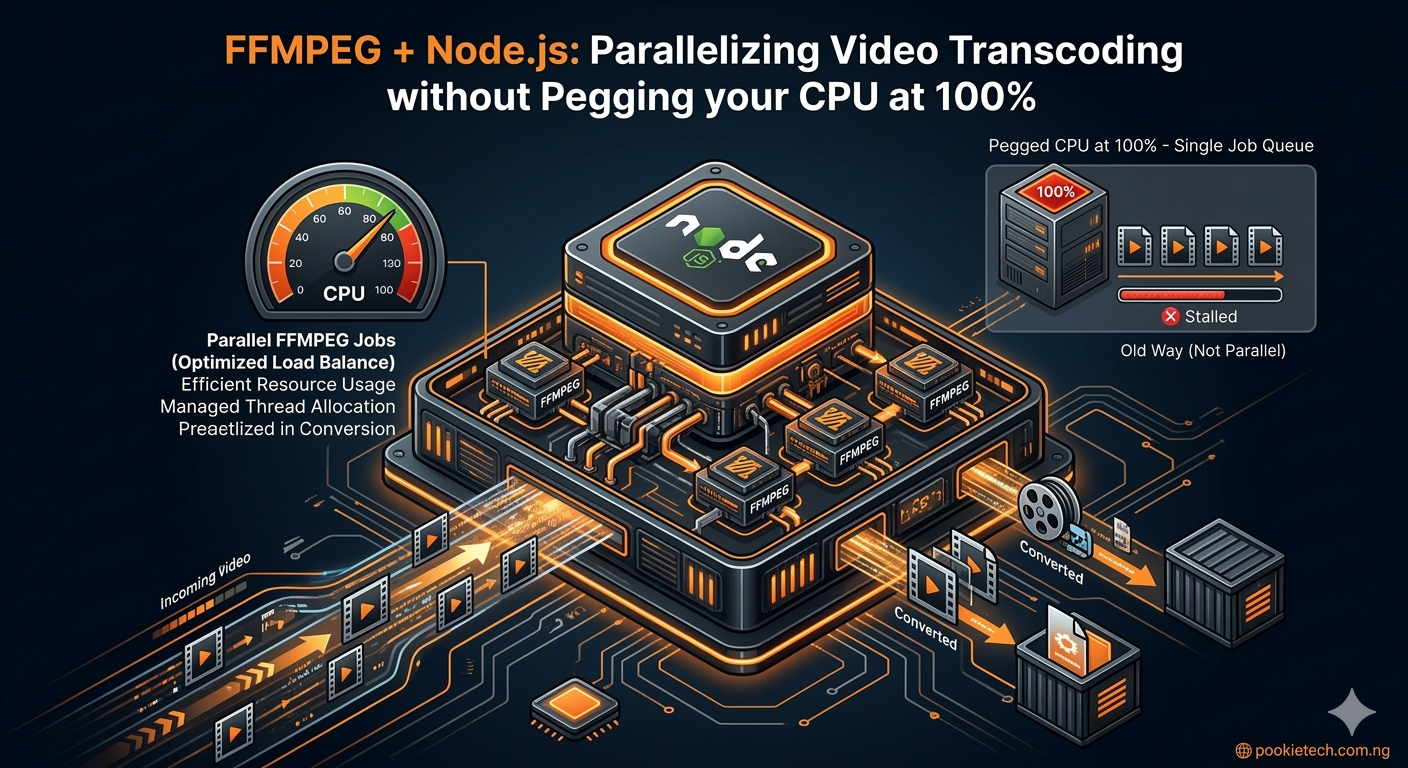
FFMPEG + Node.js: Parallelizing Video Transcoding without Pegging your CPU at 100%
You’re building a video processing service in Node.js. Maybe it’s an upload pipeline, a content moderation system, or a live streaming platform. Sooner or later, you'll hit a wall: video transcoding. FFMPEG is the undisputed king here, but running it, especially multiple instances, can quickly turn your server into a sputtering mess, maxing out CPU cores and grinding everything else to a halt. The challenge isn't just running FFMPEG; it's orchestrating it efficiently in Node.js to handle multiple jobs concurrently without thrashing your system. We’re going to tackle this head-on. This article will show you how to leverage Node.js's strengths to parallelize FFMPEG transcoding, keeping your CPU usage sane and your application responsive.
The CPU Bottleneck: FFMPEG's Power and Node.js's Event Loop
FFMPEG is a CPU-bound beast. It loves cores, and it will consume as many as it can get its hands on, given the right encoding parameters. Node.js, on the other hand, excels at I/O-bound tasks thanks to its non-blocking, event-driven architecture. While Node.js can spawn child processes for CPU-bound work, directly launching multiple FFMPEG instances without control will quickly overload your server. Imagine a scenario: users upload videos, and you need to transcode them into several formats (e.g., 1080p, 720p, 480p). If you simply kick off an FFMPEG process for each format, and multiple users upload simultaneously, your server will try to run dozens of FFMPEG processes. This leads to:
- 100% CPU utilization: Your server spends all its time context switching between FFMPEG processes.
- Reduced throughput: Individual jobs take longer because they're starved for CPU cycles.
- Unresponsive application: Your Node.js event loop might get blocked if not handled carefully, or the OS itself becomes sluggish.
- Thermal throttling: Your server heats up, potentially reducing hardware lifespan.
Our goal is to create a controlled environment where we can run multiple FFMPEG jobs in parallel, but only up to a sensible limit, ensuring optimal resource utilization without sacrificing system stability.
Basic FFMPEG Execution in Node.js
First, let's establish a baseline: how to run a single FFMPEG command from Node.js. We'll use `child_process.spawn`. Ensure FFMPEG is installed and accessible in your system's PATH.
// basic-transcode.js
const { spawn } = require('child_process');
const path = require('path');
const fs = require('fs');

const inputVideo = path.join(__dirname, 'input.mp4'); // Make sure you have an input.mp4 file
const outputVideo = path.join(__dirname, 'output_720p.mp4');

// Ensure input video exists
if (!fs.existsSync(inputVideo)) {
    console.error(`Error: Input video not found at ${inputVideo}`);
    console.error('Please create an "input.mp4" file in the same directory.');
    process.exit(1);
}

function transcodeVideo(inputPath, outputPath, resolution = '720p') {
    return new Promise((resolve, reject) => {
        console.log(`Starting transcoding: ${inputPath} to ${outputPath} at ${resolution}...`);

        // FFMPEG command: scale to specified resolution, set bitrate, use H.264 codec
        const args = [
            '-i', inputPath,
            '-vf', `scale=-2:${resolution.replace('p', '')}`, // -2 maintains aspect ratio
            '-c:v', 'libx264',
            '-preset', 'medium', // Balance between encoding speed and file size
            '-b:v', '2000k', // Video bitrate
            '-c:a', 'aac',
            '-b:a', '128k', // Audio bitrate
            '-movflags', 'faststart', // Optimize for streaming
            '-y', // Overwrite output file if it exists
            outputPath
        ];

        const ffmpeg = spawn('ffmpeg', args);

        ffmpeg.stdout.on('data', (data) => {
            // FFMPEG typically outputs progress to stderr, but some info might be on stdout
            // console.log(`stdout: ${data}`);
        });

        ffmpeg.stderr.on('data', (data) => {
            // FFMPEG progress and error messages usually come through stderr
            // console.error(`ffmpeg stderr: ${data}`);
            // You might want to parse this data to show progress to the user
        });

        ffmpeg.on('close', (code) => {
            if (code === 0) {
                console.log(`Transcoding successful: ${outputPath}`);
                resolve(outputPath);
            } else {
                console.error(`Transcoding failed with code ${code}: ${outputPath}`);
                reject(new Error(`FFMPEG process exited with code ${code}`));
            }
        });

        ffmpeg.on('error', (err) => {
            console.error(`Failed to start FFMPEG process: ${err.message}`);
            reject(err);
        });
    });
}

// Example usage:
(async () => {
    try {
        console.log('Starting single transcoding job...');
        await transcodeVideo(inputVideo, outputVideo, '720p');
        console.log('Single transcoding job completed.');
    } catch (error) {
        console.error('Single transcoding failed:', error.message);
    }
})();
To run this, save it as `basic-transcode.js`, ensure you have an `input.mp4` file in the same directory, and run `node basic-transcode.js`. This works for a single file, but what about many?
The Problem with Naive Parallelization
When you have multiple videos to transcode, or multiple versions of the same video, the immediate thought might be to just loop and call `transcodeVideo` for each.
// naive-parallel.js
const { spawn } = require('child_process');
const path = require('path');
const fs = require('fs');

// Assume input videos are named input_1.mp4, input_2.mp4, etc.
const inputVideos = [
    path.join(__dirname, 'input_1.mp4'),
    path.join(__dirname, 'input_2.mp4'),
    path.join(__dirname, 'input_3.mp4'),
    path.join(__dirname, 'input_4.mp4'),
    path.join(__dirname, 'input_5.mp4'),
    path.join(__dirname, 'input_6.mp4'),
    path.join(__dirname, 'input_7.mp4'),
    path.join(__dirname, 'input_8.mp4'),
    path.join(__dirname, 'input_9.mp4'),
    path.join(__dirname, 'input_10.mp4'),
];

// Placeholder for `transcodeVideo` function (same as above)
function transcodeVideo(inputPath, outputPath, resolution = '720p') {
    return new Promise((resolve, reject) => {
        // ... (FFMPEG spawn logic from basic-transcode.js)
        console.log(`Starting transcoding: ${path.basename(inputPath)} to ${path.basename(outputPath)} at ${resolution}...`);
        const args = [
            '-i', inputPath,
            '-vf', `scale=-2:${resolution.replace('p', '')}`,
            '-c:v', 'libx264',
            '-preset', 'medium',
            '-b:v', '2000k',
            '-c:a', 'aac',
            '-b:a', '128k',
            '-movflags', 'faststart',
            '-y',
            outputPath
        ];
        const ffmpeg = spawn('ffmpeg', args);
        ffmpeg.on('close', (code) => {
            if (code === 0) {
                console.log(`Transcoding successful: ${path.basename(outputPath)}`);
                resolve(outputPath);
            } else {
                console.error(`Transcoding failed with code ${code}: ${path.basename(outputPath)}`);
                reject(new Error(`FFMPEG process exited with code ${code}`));
            }
        });
        ffmpeg.on('error', (err) => reject(err));
    });
}

(async () => {
    console.log('Starting naive parallel transcoding...');
    const promises = inputVideos.map((inputPath, index) => {
        // Ensure input files exist for demonstration
        if (!fs.existsSync(inputPath)) {
            console.warn(`Warning: Input video not found at ${inputPath}. Skipping.`);
            return Promise.resolve(null); // Skip if file doesn't exist
        }
        const outputPath = path.join(__dirname, `output_naive_${index}_720p.mp4`);
        return transcodeVideo(inputPath, outputPath, '720p');
    }).filter(p => p !== null); // Filter out skipped promises

    try {
        await Promise.all(promises);
        console.log('All naive parallel transcoding jobs completed.');
    } catch (error) {
        console.error('One or more naive parallel transcoding jobs failed:', error.message);
    }
})();
If you run `naive-parallel.js` with 10 input videos on an 8-core machine, you'll immediately see your CPU usage shoot up to 100%. All 10 FFMPEG processes will compete for CPU time, leading to constant context switching. Each process gets only a fraction of a core, making the overall time to complete all jobs potentially *longer* than if you had processed them sequentially or in a controlled parallel manner. This is the classic "too many cooks spoil the broth" scenario for CPU-bound tasks.
Context Switching Overhead: When the operating system rapidly switches between many processes, it incurs overhead saving and restoring the state of each process. This overhead consumes CPU cycles that could otherwise be used for productive work, ultimately slowing down the overall system.
Understanding CPU Cores and Logical Threads
Before we build a solution, let's clarify hardware. Most modern CPUs have multiple physical cores. Each physical core can often handle two "logical threads" simultaneously through a technology like Intel's Hyper-Threading or AMD's SMT. When FFMPEG transcodes, it's highly multi-threaded by default, trying to use all available logical cores. If you run `N` FFMPEG instances where `N` is greater than your number of logical cores, each FFMPEG process will itself try to use all cores. This leads to hyper-contention. A good rule of thumb for CPU-bound tasks is to run no more concurrent processes than the number of logical cores available on your machine. Sometimes, `logical_cores - 1` is even better to leave some breathing room for the OS and other critical services. You can get your logical core count in Node.js:
const os = require('os');
const numCpus = os.cpus().length;
console.log(`This machine has ${numCpus} logical CPU cores.`);
Solution 1: Manual Concurrency Control (Worker Pool)
The core idea is a queue and a fixed number of workers. We'll add all transcoding jobs to a queue, and a limited number of "worker" functions will pull jobs from this queue, execute them, and then become available for the next job. This pattern is often called a "worker pool" or "concurrency limiter."
// controlled-parallel.js
const { spawn } = require('child_process');
const path = require('path');
const fs = require('fs');
const os = require('os');

// --- Configuration ---
const MAX_CONCURRENT_JOBS = os.cpus().length > 1 ? os.cpus().length - 1 : 1; // Leave one core free, or at least 1
const INPUT_DIR = path.join(__dirname, 'input_videos'); // Directory for input videos
const OUTPUT_DIR = path.join(__dirname, 'output_videos'); // Directory for output videos

// Ensure directories exist
fs.mkdirSync(INPUT_DIR, { recursive: true });
fs.mkdirSync(OUTPUT_DIR, { recursive: true });

// --- Transcoding Function (same as before, slightly modified for output path) ---
function transcodeVideo(inputPath, outputFileName, resolution = '720p') {
    return new Promise((resolve, reject) => {
        const outputPath = path.join(OUTPUT_DIR, outputFileName);
        console.log(`[Job] Starting: ${path.basename(inputPath)} to ${path.basename(outputPath)} at ${resolution}...`);

        const args = [
            '-i', inputPath,
            '-vf', `scale=-2:${resolution.replace('p', '')}`,
            '-c:v', 'libx264',
            '-preset', 'medium',
            '-b:v', '2000k',
            '-c:a', 'aac',
            '-b:a', '128k',
            '-movflags', 'faststart',
            '-y',
            outputPath
        ];

        const ffmpeg = spawn('ffmpeg', args);

        ffmpeg.on('close', (code) => {
            if (code === 0) {
                console.log(`[Job] Successful: ${path.basename(outputPath)}`);
                resolve(outputPath);
            } else {
                console.error(`[Job] Failed with code ${code}: ${path.basename(outputPath)}`);
                reject(new Error(`FFMPEG process exited with code ${code}`));
            }
        });

        ffmpeg.on('error', (err) => {
            console.error(`[Job] Failed to start FFMPEG process for ${path.basename(inputPath)}: ${err.message}`);
            reject(err);
        });
    });
}

// --- Worker Pool Implementation ---
class WorkerPool {
    constructor(maxConcurrent) {
        this.maxConcurrent = maxConcurrent;
        this.queue = [];
        this.activeJobs = 0;
        this.results = [];
        this.errors = [];
        this.isProcessing = false;
    }

    addJob(jobFn) {
        this.queue.push(jobFn);
        this.processQueue();
    }

    async processQueue() {
        if (this.isProcessing) return; // Already processing, new jobs will be picked up
        this.isProcessing = true;

        while (this.queue.length > 0 && this.activeJobs < this.maxConcurrent) {
            const jobFn = this.queue.shift();
            this.activeJobs++;
            console.log(`[Pool] Active jobs: ${this.activeJobs}/${this.maxConcurrent}. Queue size: ${this.queue.length}`);

            try {
                const result = await jobFn();
                this.results.push(result);
            } catch (error) {
                this.errors.push(error);
            } finally {
                this.activeJobs--;
                console.log(`[Pool] Job finished. Active jobs: ${this.activeJobs}/${this.maxConcurrent}. Queue size: ${this.queue.length}`);
                // If there are more jobs and space, the loop continues
            }
        }

        this.isProcessing = false;
        if (this.queue.length === 0 && this.activeJobs === 0) {
            console.log('[Pool] All jobs completed.');
            // You might emit an event here or resolve a main promise
        }
    }

    // A method to wait for all jobs to complete, useful for main script
    async waitForCompletion() {
        return new Promise(resolve => {
            const checkInterval = setInterval(() => {
                if (this.queue.length === 0 && this.activeJobs === 0 && !this.isProcessing) {
                    clearInterval(checkInterval);
                    resolve({ results: this.results, errors: this.errors });
                }
            }, 100); // Check every 100ms
        });
    }
}

// --- Main execution ---
(async () => {
    console.log(`Starting controlled parallel transcoding with ${MAX_CONCURRENT_JOBS} concurrent jobs.`);

    // Simulate some input videos
    const videosToTranscode = [];
    for (let i = 1; i <= 15; i++) { // 15 jobs to demonstrate queuing
        const inputFileName = `input_${i}.mp4`;
        const inputPath = path.join(INPUT_DIR, inputFileName);
        const outputFileName = `output_controlled_${i}_720p.mp4`;

        // Create dummy input files for demonstration if they don't exist
        if (!fs.existsSync(inputPath)) {
            fs.writeFileSync(inputPath, `This is a dummy video file content for ${inputFileName}.`);
            console.log(`Created dummy input file: ${inputFileName}`);
        }
        videosToTranscode.push({ inputPath, outputFileName, resolution: '720p' });
    }

    const pool = new WorkerPool(MAX_CONCURRENT_JOBS);

    videosToTranscode.forEach(video => {
        pool.addJob(() => transcodeVideo(video.inputPath, video.outputFileName, video.resolution));
    });

    const { results, errors } = await pool.waitForCompletion();

    console.log('\n--- Summary ---');
    console.log(`Total jobs: ${videosToTranscode.length}`);
    console.log(`Successful jobs: ${results.length}`);
    if (errors.length > 0) {
        console.error(`Failed jobs: ${errors.length}`);
        errors.forEach(err => console.error(err.message));
    }
    console.log('All controlled transcoding jobs processed.');
})();
To run this: 1. Save the code as `controlled-parallel.js`. 2. Run `node controlled-parallel.js`. You'll observe that FFMPEG processes are spawned in batches, respecting `MAX_CONCURRENT_JOBS`. Your CPU usage will be high but *controlled*, typically hovering around `MAX_CONCURRENT_JOBS / logical_cores * 100%`. This prevents your system from becoming completely unresponsive while still utilizing your hardware efficiently. This `WorkerPool` class is a solid foundation. It's event-loop friendly because `await jobFn()` pauses the `processQueue` loop only for that specific job, allowing other Node.js code to run. When the FFMPEG child process finishes, its promise resolves, and the `processQueue` loop continues.
Solution 2: Leveraging Node.js `worker_threads` for Orchestration
While `child_process` handles the actual FFMPEG execution, `worker_threads` can be used to offload the *management* of these FFMPEG jobs from the main Node.js event loop. This is particularly useful if your main application thread has other responsibilities (e.g., handling HTTP requests, WebSockets) that you don't want to be impacted by the job queue management logic. It's crucial to understand: `worker_threads` does not run FFMPEG itself in a worker thread. FFMPEG is an external binary. The `worker_threads` module allows you to run *JavaScript code* in a separate thread. In our case, this separate thread will host our `WorkerPool` logic and spawn `child_process` FFMPEG instances. The `child_process` calls are still handled by the OS, but the Node.js code managing them runs in a dedicated worker thread. This setup keeps your main thread responsive for other tasks, as all the heavy lifting of queue management and `child_process` callbacks is handled by the worker.
Main Thread (orchestrator.js)
// orchestrator.js
const { Worker } = require('worker_threads');
const path = require('path');
const fs = require('fs');

const INPUT_DIR = path.join(__dirname, 'input_videos');
const OUTPUT_DIR = path.join(__dirname, 'output_videos');

// Ensure directories exist
fs.mkdirSync(INPUT_DIR, { recursive: true });
fs.mkdirSync(OUTPUT_DIR, { recursive: true });

// Simulate some input videos and create dummy files
const videosToTranscode = [];
for (let i = 1; i <= 20; i++) { // More jobs to highlight worker_threads benefits
    const inputFileName = `input_${i}.mp4`;
    const inputPath = path.join(INPUT_DIR, inputFileName);
    const outputFileName = `output_worker_thread_${i}_720p.mp4`;

    if (!fs.existsSync(inputPath)) {
        fs.writeFileSync(inputPath, `This is dummy video content for ${inputFileName}.`);
        console.log(`Created dummy input file: ${inputFileName}`);
    }
    videosToTranscode.push({ inputPath, outputFileName, resolution: '720p' });
}

console.log(`Main thread: Initializing transcoding worker with ${videosToTranscode.length} jobs.`);

const worker = new Worker(path.join(__dirname, 'transcoding-worker.js'), {
    workerData: {
        jobs: videosToTranscode,
        inputDir: INPUT_DIR,
        outputDir: OUTPUT_DIR
    }
});

worker.on('message', (msg) => {
    if (msg.type === 'progress') {
        console.log(`Main thread received progress: ${msg.message}`);
    } else if (msg.type === 'job_completed') {
        console.log(`Main thread received job completion: ${msg.outputPath}`);
    } else if (msg.type === 'job_failed') {
        console.error(`Main thread received job failure: ${msg.error}`);
    } else if (msg.type === 'all_completed') {
        console.log(`Main thread: All transcoding jobs finished. Results: ${msg.results.length}, Errors: ${msg.errors.length}`);
        worker.terminate(); // Terminate the worker once all jobs are done
    }
});

worker.on('error', (err) => {
    console.error('Main thread caught worker error:', err);
});

worker.on('exit', (code) => {
    if (code !== 0) {
        console.error(`Main thread: Worker stopped with exit code ${code}`);
    } else {
        console.log('Main thread: Worker exited gracefully.');
    }
});

console.log('Main thread: Application continues to run, worker is processing jobs in background.');

// Simulate other main thread work
let counter = 0;
const interval = setInterval(() => {
    counter++;
    if (counter > 10) { // Stop after 10 iterations for demonstration
        clearInterval(interval);
    }
    console.log(`Main thread: Doing other work... ${new Date().toLocaleTimeString()}`);
}, 1000); // Every second
Worker Thread (transcoding-worker.js)
// transcoding-worker.js
const { parentPort, workerData } = require('worker_threads');
const { spawn } = require('child_process');
const path = require('path');
const os = require('os');

const { jobs, inputDir, outputDir } = workerData;
const MAX_CONCURRENT_JOBS = os.cpus().length > 1 ? os.cpus().length - 1 : 1; // Same logic as before

// --- Transcoding Function (similar to before, adapted for worker context) ---
function transcodeVideo(inputPath, outputFileName, resolution = '720p') {
    return new Promise((resolve, reject) => {
        const outputPath = path.join(outputDir, outputFileName);
        parentPort.postMessage({ type: 'progress', message: `Worker: Starting: ${path.basename(inputPath)} to ${path.basename(outputPath)}` });

        const args = [
            '-i', inputPath,
            '-vf', `scale=-2:${resolution.replace('p', '')}`,
            '-c:v', 'libx264',
            '-preset', 'medium',
            '-b:v', '2000k',
            '-c:a', 'aac',
            '-b:a', '128k',
            '-movflags', 'faststart',
            '-y',
            outputPath
        ];

        const ffmpeg = spawn('ffmpeg', args);

        ffmpeg.on('close', (code) => {
            if (code === 0) {
                parentPort.postMessage({ type: 'job_completed', outputPath });
                resolve(outputPath);
            } else {
                const errorMessage = `Worker: FFMPEG process exited with code ${code} for ${path.basename(inputPath)}`;
                parentPort.postMessage({ type: 'job_failed', error: errorMessage });
                reject(new Error(errorMessage));
            }
        });

        ffmpeg.on('error', (err) => {
            const errorMessage = `Worker: Failed to start FFMPEG process for ${path.basename(inputPath)}: ${err.message}`;
            parentPort.postMessage({ type: 'job_failed', error: errorMessage });
            reject(err);
        });
    });
}

// --- Worker Pool Implementation (adapted for worker_threads) ---
class WorkerPool {
    constructor(maxConcurrent, jobsToProcess) {
        this.maxConcurrent = maxConcurrent;
        this.queue = jobsToProcess.map(jobData => ({
            fn: () => transcodeVideo(jobData.inputPath, jobData.outputFileName, jobData.resolution),
            id: jobData.outputFileName // Unique identifier for logging
        }));
        this.activeJobs = 0;
        this.results = [];
        this.errors = [];
        this.isProcessing = false;
        parentPort.postMessage({ type: 'progress', message: `Worker: Pool initialized with ${this.queue.length} jobs.` });
    }

    async processQueue() {
        if (this.isProcessing) return;
        this.isProcessing = true;

        while (this.queue.length > 0 || this.activeJobs > 0) {
            if (this.queue.length > 0 && this.activeJobs < this.maxConcurrent) {
                const job = this.queue.shift();
                this.activeJobs++;
                parentPort.postMessage({ type: 'progress', message: `Worker: Active jobs: ${this.activeJobs}/${this.maxConcurrent}. Queue size: ${this.queue.length}` });

                // Run job in background, don't block the loop
                (async () => {
                    try {
                        const result = await job.fn();
                        this.results.push(result);
                    } catch (error) {
                        this.errors.push(error);
                    } finally {
                        this.activeJobs--;
                        parentPort.postMessage({ type: 'progress', message: `Worker: Job finished (${job.id}). Active jobs: ${this.activeJobs}/${this.maxConcurrent}. Queue size: ${this.queue.length}` });
                        this.processQueue(); // Check for new jobs or completion
                    }
                })();
            } else {
                // No new jobs to start or max concurrent reached, wait a bit
                await new Promise(resolve => setTimeout(resolve, 100));
            }
        }

        this.isProcessing = false;
        parentPort.postMessage({ type: 'all_completed', results: this.results, errors: this.errors.map(e => e.message) });
    }
}

// Start the worker pool
const pool = new WorkerPool(MAX_CONCURRENT_JOBS, jobs);
pool.processQueue();
To run this: 1. Save the first code block as `orchestrator.js`. 2. Save the second code block as `transcoding-worker.js` in the *same directory*. 3. Run `node orchestrator.js`. You'll see messages from both